Chicken Invaders Space Shooter

Shooting Arcade
Developer: Valley Pixel Studios
Published: 2026-02-05
Updated: 2026-06-06

Reviews

Space Attack Chicken Invaders combines classic arcade shooting with a memory challenge. The chicken invaders are humorous but require careful attention to their patterns. The game is easy to pick up and offers good replayability as you try to improve your score. It is a clean, family-friendly game that works well in a browser.

Description

Game Introduction

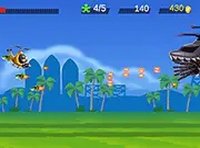
Space Attack Chicken Invaders is a top-down space shooter game where you pilot a spaceship to defend against waves of invading chickens. The core objective is to survive each attack by learning the unique shapes and movement patterns of different chicken types. This blend of fast-paced shooting and memory-based gameplay sets it apart from typical arcade shooters. Designed for desktop browsers, it offers a free, no-download experience with a full-screen option for enhanced immersion.

How to Play

Players control their spaceship using a keyboard or mouse, moving to dodge enemy fire and aiming to shoot down the chicken invaders. Each wave introduces new chicken types with distinct attack patterns, requiring players to observe and memorize their behaviors to predict movements. The goal is to survive as long as possible, progressing through increasingly difficult levels. Quick reflexes and pattern recognition are key to success.

Game Features

This game features classic arcade shooting action with a humorous chicken invasion theme. It includes multiple enemy types with unique shapes and attack patterns, challenging both reflexes and memory. The game is free to play, runs directly in a web browser without downloads, and supports full-screen mode for a more engaging experience. It is designed for desktop play and works best with a keyboard or mouse.

Tips for Success

Focus on learning each chicken type's movement pattern to anticipate attacks and find safe positions. Practice regularly to improve your reaction time and memorization skills. Stay mobile to avoid being cornered, and prioritize taking out enemies that pose the biggest threat. As levels increase, patience and pattern recognition become more important than speed alone.

Compatibility

This H5 game runs smoothly on:
• Desktop computers (Windows / Mac) • Mobile phones (iPhone / Android)
• Tablets (iPad / Android)
🌐 Best experienced with Chrome, Safari, or Edge
Faq
Is this game suitable for children?
Yes, the game is family-friendly with a cartoonish chicken invasion theme and no violent or inappropriate content. It is suitable for players of all ages, though younger children may need help with the controls and pattern recognition.
Do I need to download anything to play?
No, the game runs directly in your web browser with no downloads or installations required. It is free to play and works on most modern browsers, though it is optimized for desktop use with a keyboard or mouse.
Can I play this game on a mobile device?
The game is designed for desktop play and works best with a keyboard or mouse. It may not be fully optimized for touchscreens or mobile browsers, so a desktop or laptop computer is recommended for the best experience.
Are there different difficulty levels?
The game typically increases in difficulty as you progress through waves, with new chicken types and more complex attack patterns appearing over time. There may not be explicit difficulty settings, but the challenge naturally escalates.
How long does a typical game session last?
Game sessions can vary widely depending on your skill level. Beginners may last a few minutes per run, while experienced players can survive longer. The game is designed for short, engaging sessions, making it easy to pick up and play.
Does the game save my progress?
Since the game runs in a browser without downloads, progress may not be saved between sessions unless the game includes cookies or local storage features. Typically, each session starts fresh, so high scores may be the only record of achievement.
Advertisement